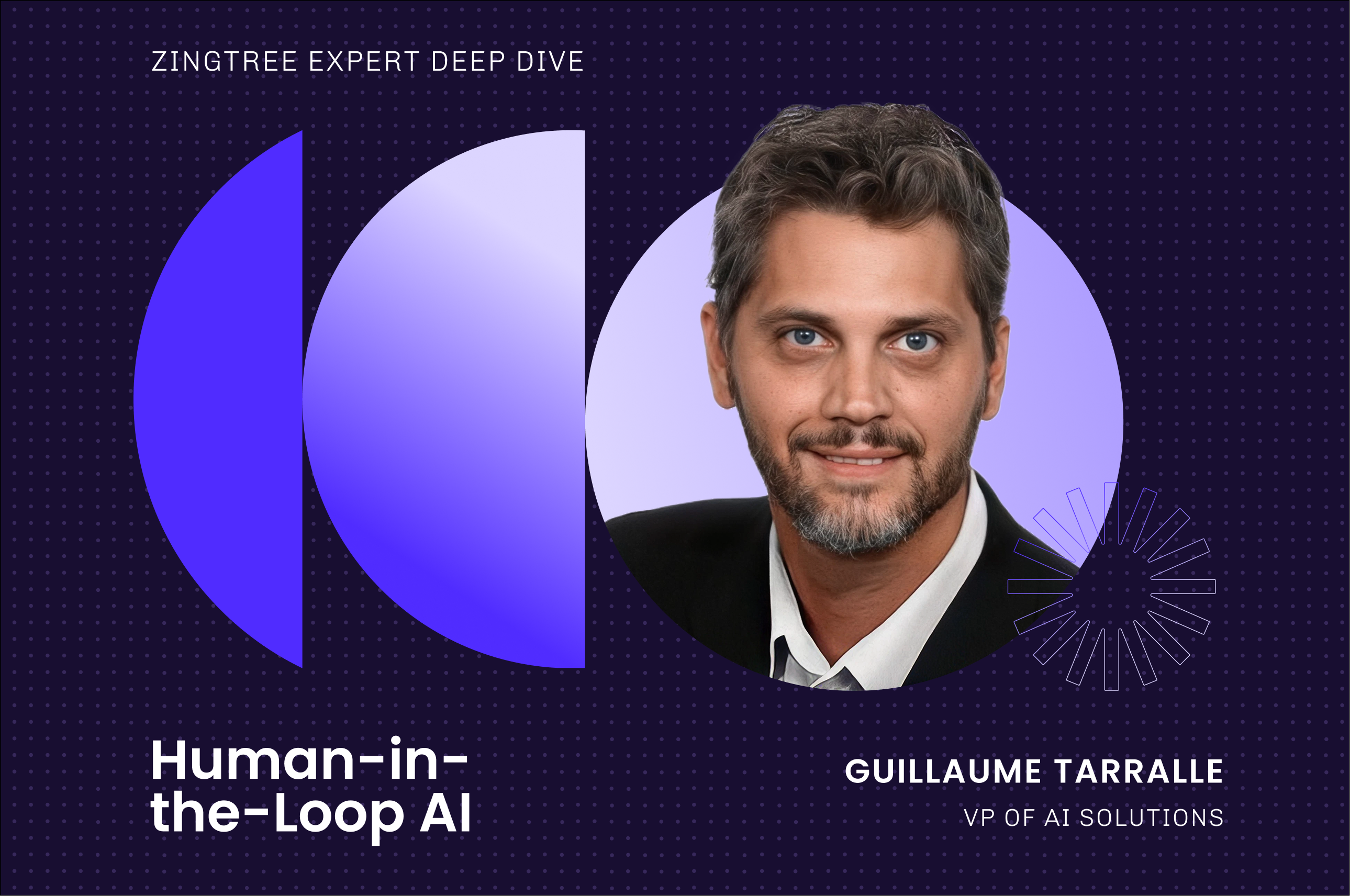
Human-in-the-Loop AI: Setting the Autonomy Dial for Every Customer Conversation

Guillaume Tarralle, VP of AI Solutions, on human-in-the-loop customer service: how to set AI autonomy for every conversation, from automation to approval.

Guillaume Tarralle
10 min read
Back to Blog

Guillaume “GT” Tarralle leads the AI Solutions team at Zingtree, where he advises our customers on how to safely deploy AI into production in sensitive, regulated environments. 

Most debates about AI in customer service start with the wrong question. Teams ask whether to automate a conversation or keep it human, as if those were the only two options. 

After years of making those calls for customer-facing AI in regulated environments, I've come to picture autonomy as a dial. At one end, the AI resolves everything on its own. At the other, a person does the work with the AI helping. 

Almost every real use case sits somewhere in the middle, and the setting that matters most comes down to one question: what does it cost you when the system gets it wrong?

My philosophy is simple. It's better to get 80% of the way there with AI than to reach for 100% automation and miss.

What is human-in-the-loop AI in customer service?

Keeping a human in the loop means a person stays involved in how the AI operates, at points you define. In practice, that person approves a refund before the AI issues it, answers a question the AI can't, takes over when a conversation crosses a risk line, or reviews outcomes afterward for quality. The AI carries the volume. The person supplies judgment where the stakes call for it.

Sources like Stanford HAI describe human-in-the-loop for model training and feedback in general, which is useful background but doesn't tell a support leader where a person belongs inside a live customer conversation. 

Human-in-the-loop vs. human-on-the-loop vs. fully autonomous

Comparison of human oversight models: human-in-the-loop, human-on-the-loop, and fully autonomous.
Model When the human acts Best for Trade-off
Human-in-the-loop Inside the interaction, before or during execution Refunds, account changes, regulated advice, vulnerable customers Slower per interaction; strongest control
Human-on-the-loop Monitoring in near-real time, intervening on exception Mature use cases with proven accuracy and clear escalation triggers Errors can reach the customer before intervention
Fully autonomous Only in retrospective QA, if at all High-volume, low-risk, well-bounded questions Fastest and cheapest; highest exposure when something goes wrong

Most organizations run all three at once, on different use cases. A password reset and a disputed insurance claim are both "customer service," yet they sit at opposite ends of any sensible risk scale. 

A 2026 systematic review of human-in-the-loop AI catalogs how oversight shifts with where and when the human enters the loop, which is the academic version of what practitioners already feel: there are many places to stand, not two.

The autonomy spectrum: from fully automated to fully human

Autonomy settings, who controls the response, the human's role, and best-fit use cases.
Setting Who controls the response Human's role Best-fit use cases
Human-led, AI-assisted Human Writes and owns every response, with AI drafting and retrieving New or sensitive use cases; early rollout phases
Human approves each action Human Reviews and approves AI-proposed responses or actions before they go out Refunds, account changes, anything money- or policy-touching
AI-led with approval gates Shared Steps in only at defined thresholds, then hands back to the AI Mid-risk workflows with clear guardrail triggers
AI autonomous, human observing AI Monitors live, can intervene or take over Proven use cases building toward full autonomy
Fully autonomous AI Retrospective QA only High-volume, low-risk, well-bounded questions

Set the dial by the cost of getting it wrong

If I could give a support leader one input for setting autonomy, it would be the cost of a mistake. The higher the worst realistic outcome, the higher the bar before the AI runs on its own. 

A wrong answer about store hours costs a little goodwill. A wrong answer on insurance coverage, a missed fraud signal, or bad medical guidance can cost a lawsuit or a regulatory finding. The same accuracy that's fine for the first case is nowhere near enough for the second.

Cost of a mistake, an example, where to set the autonomy dial, and the human's role.
Cost of a mistake Example Where to set the dial Human's role
Trivial Store hours, order status Fully autonomous Spot-check in QA
Recoverable Subscription changes, rebooking AI-led with gates Approve money-touching steps
Painful Refunds above a threshold, account closures Human approves actions Sign off before execution
Severe Claims, financial or medical guidance, vulnerable customers Human-led Own the interaction, AI assists

Cost of error sets the baseline. Four things move the dial from there: how accurate the model has proven to be on your traffic, whether your customers will accept AI for this task, what your policies and regulators require, and whether you can track and audit every interaction.

Customer appetite is the factor teams underrate. SurveyMonkey found that 79% of Americans would rather deal with a human than an AI agent. That preference isn't fixed, though. It collapses the moment the AI actually resolves the issue. I catch myself doing it as a customer: there's one question I ask often that I know the AI can't handle, so I skip it and go straight to "I want to talk to somebody." If it could answer, I'd use it every time.

Governance is turning into law. The EU AI Act's human-oversight rules take effect for high-risk systems in August 2026 and require that people can oversee these systems, step in, and stop them. For regulated operations, oversight has moved from preference to requirement.

The roles are flipping: people supervise AI

For a decade, our tools treated AI as the assistant, with suggested replies, surfaced knowledge, and live coaching. That is inverting. More and more, the person is there to supervise the AI. This is a durable operating model, not a temporary crutch until the models improve, and it sits at the center of keeping humans in control of AI.

When a person does step in, there are two patterns, and teams routinely blur them. In a takeover, the human assumes the conversation and the AI drops to a supporting role. In an assist, the person coaches the AI without replacing it: they tell it what to answer, and once they are done, the AI carries on with the rest of the conversation. 

The assist pattern preserves scale because the human touches only the decision, not the whole exchange. Takeover is the right call for emotionally charged or genuinely complex cases, and guided agent workflows are built for exactly those moments.

People sometimes object that watching a dashboard isn't really being in the loop. It is, as long as the observer can act. An observer who can pause the AI, take over, or roll back an action provides real oversight and the audit trail risk teams need. 

An observer who can only watch is spectating, so build the controls before you call it supervision. I don't think humans become obsolete in this picture; we still need governance over the tools we deploy, AI included. If anything, as automated resolution becomes the default, a human interaction starts to look like a premium: highly valued, and maybe something people will pay for.

Escalation and handoffs without losing context

Every dial setting below full autonomy depends on one fragile moment: the handoff between AI and person. Get it wrong and the rest of your design doesn't matter, because the customer feels the seam directly. 

Same-thread handoff vs. transfer-and-restart

Transfer-and-restart is the pattern customers hate: the bot fails, the queue resets, and a person opens with "how can I help you today?" as if the last ten minutes never happened. The customer repeats everything, and the automation that was supposed to save time has added time.

Human-in-the-loop customer service lives or dies at this seam. Same-thread handoff keeps the conversation intact. The person joins where the AI stopped, sees the full history and the AI's working state, resolves or approves what is needed, and the interaction continues. 

In the assist pattern, this is nearly invisible to the customer. Whichever pattern a team implements, the handoff standard should be: the customer never repeats themselves.

What breaks when context doesn't move with the conversation

When context is dropped at the seam, the damage lands everywhere at once. The customer re-explains, so handle time and frustration rise together. The agent works blind, re-asking questions whose answers already exist in the transcript, so trust in the tooling falls. QA loses the thread of who decided what, which weakens the audit story that regulated teams depend on.

There is also a quieter cost: the AI cannot learn from the human's resolution if the two halves of the conversation live in different systems. The context problem is an integration problem, which is exactly why a standard for moving context between systems matters.

MCP: the emerging standard for sharing context across systems

The Model Context Protocol (MCP) is an open-source standard for connecting AI applications to external systems, including the data sources and tools a customer conversation depends on (Model Context Protocol). 

Human-in-the-loop agentic AI depends on exactly this kind of plumbing: the person stepping into a conversation needs the same context the AI had, and the AI needs the same systems access the person had.

What the Model Context Protocol is and why the industry is adopting it

MCP standardizes how an AI application connects to CRMs, order systems, knowledge bases, and other tools, in the way USB-C standardized how devices connect. Guillaume's read on the trajectory: 

For CX leaders, the significance is practical. AI agents for customer service are only as good as the context they can reach, and a standard beats a pile of one-off integrations on cost, maintenance, and auditability. Existing pre-built integrations cover today's stack; MCP is the pattern for where the stack is going.

What MCP means for AI-to-human and agent-to-agent handoffs

Because MCP standardizes context access, the human stepping into a conversation can see what the AI saw, and an agent taking over from another agent, human or AI, inherits the same state. That collapses the transfer-and-restart failure mode at the infrastructure level rather than patching it in the UI.

It also prepares for the next step: agent-to-agent workflows, where one organization's AI talks to another's. The teams standardizing context sharing now are building the rails those workflows will run on.

Frequently asked questions

What is human-in-the-loop AI in customer service?

Human-in-the-loop AI in customer service keeps a person involved in AI-led customer interactions at defined points: approving actions before execution, answering questions the AI routes up, taking over conversations past a risk threshold, or reviewing outcomes for quality. The AI handles volume; the human supplies judgment where errors would be costly.

What's the difference between human-in-the-loop and human-on-the-loop?

Human-in-the-loop means the person acts inside the interaction, approving or contributing before actions execute. Human-on-the-loop means the AI acts autonomously while a person monitors and can intervene on exceptions. In-the-loop offers the strongest control at the cost of speed; on-the-loop scales further but errors can reach customers before anyone intervenes.

When should an AI agent escalate to a human?

Escalate on defined thresholds set per use case: the action's cost of error (money movement, policy exceptions), detected sensitivity (vulnerable customer, complaint language, regulated topics), low confidence or missing knowledge, and explicit customer request. The triggers should be designed in advance and auditable, not improvised by the model in the moment.

How do you decide how much autonomy to give an AI agent?

Start with the cost of getting it wrong: the higher the worst-case outcome, the lower the starting autonomy. Then weigh use-case sensitivity, demonstrated accuracy on your live traffic, customer appetite, governance and regulatory requirements, and your ability to track and QA every interaction. Set the dial per use case and raise it only as evidence accumulates.

Is human-in-the-loop always necessary?

In some form, yes. The human's position changes, from handling every conversation to approving gated actions to supervising and auditing, but governance never disappears. As Guillaume Tarralle puts it, humans will not become obsolete; the business still needs governance over the tools it deploys, including AI. Even fully autonomous use cases sit inside human-owned QA and audit loops.

What are AI guardrails in customer service?

Guardrails are enforced constraints on what an AI may do in customer interactions: topics it may address, actions it may take, language it must avoid, data it may access, and conditions that force escalation. Real guardrails are enforced by the system on every interaction rather than requested in a prompt, and they produce logs a compliance team can audit.

Does human-in-the-loop reduce AI accuracy or slow resolution?

Approval gates add seconds to the specific steps they protect, not minutes to every conversation, and the assist pattern lets the AI continue immediately after a human answers. In exchange, error rates on consequential actions drop and audit quality rises. Measured on resolution rather than raw speed, well-designed human involvement usually improves outcomes because fewer interactions end in a failed automation and an angry restart.

What is MCP (Model Context Protocol) and how does it help AI agents share context?

MCP is an open-source standard for connecting AI applications to external systems such as CRMs, order platforms, and knowledge bases. In customer service it lets teams wrap a system once and grant access per use case, so AI agents, and the humans who step into their conversations, share the same context and permissions instead of relying on brittle one-off integrations. 
Guillaume “GT” Tarralle leads the AI Solutions team at Zingtree, where he advises our customers on how to safely deploy AI into production in sensitive, regulated environments. 

Most debates about AI in customer service start with the wrong question. Teams ask whether to automate a conversation or keep it human, as if those were the only two options. 

After years of making those calls for customer-facing AI in regulated environments, I've come to picture autonomy as a dial. At one end, the AI resolves everything on its own. At the other, a person does the work with the AI helping. 

Almost every real use case sits somewhere in the middle, and the setting that matters most comes down to one question: what does it cost you when the system gets it wrong?

My philosophy is simple. It's better to get 80% of the way there with AI than to reach for 100% automation and miss.

What is human-in-the-loop AI in customer service?

Keeping a human in the loop means a person stays involved in how the AI operates, at points you define. In practice, that person approves a refund before the AI issues it, answers a question the AI can't, takes over when a conversation crosses a risk line, or reviews outcomes afterward for quality. The AI carries the volume. The person supplies judgment where the stakes call for it.

Sources like Stanford HAI describe human-in-the-loop for model training and feedback in general, which is useful background but doesn't tell a support leader where a person belongs inside a live customer conversation. 

Human-in-the-loop vs. human-on-the-loop vs. fully autonomous

Comparison of human oversight models: human-in-the-loop, human-on-the-loop, and fully autonomous.
Model When the human acts Best for Trade-off
Human-in-the-loop Inside the interaction, before or during execution Refunds, account changes, regulated advice, vulnerable customers Slower per interaction; strongest control
Human-on-the-loop Monitoring in near-real time, intervening on exception Mature use cases with proven accuracy and clear escalation triggers Errors can reach the customer before intervention
Fully autonomous Only in retrospective QA, if at all High-volume, low-risk, well-bounded questions Fastest and cheapest; highest exposure when something goes wrong

Most organizations run all three at once, on different use cases. A password reset and a disputed insurance claim are both "customer service," yet they sit at opposite ends of any sensible risk scale. 

A 2026 systematic review of human-in-the-loop AI catalogs how oversight shifts with where and when the human enters the loop, which is the academic version of what practitioners already feel: there are many places to stand, not two.

The autonomy spectrum: from fully automated to fully human

Autonomy settings, who controls the response, the human's role, and best-fit use cases.
Setting Who controls the response Human's role Best-fit use cases
Human-led, AI-assisted Human Writes and owns every response, with AI drafting and retrieving New or sensitive use cases; early rollout phases
Human approves each action Human Reviews and approves AI-proposed responses or actions before they go out Refunds, account changes, anything money- or policy-touching
AI-led with approval gates Shared Steps in only at defined thresholds, then hands back to the AI Mid-risk workflows with clear guardrail triggers
AI autonomous, human observing AI Monitors live, can intervene or take over Proven use cases building toward full autonomy
Fully autonomous AI Retrospective QA only High-volume, low-risk, well-bounded questions

Set the dial by the cost of getting it wrong

If I could give a support leader one input for setting autonomy, it would be the cost of a mistake. The higher the worst realistic outcome, the higher the bar before the AI runs on its own. 

A wrong answer about store hours costs a little goodwill. A wrong answer on insurance coverage, a missed fraud signal, or bad medical guidance can cost a lawsuit or a regulatory finding. The same accuracy that's fine for the first case is nowhere near enough for the second.

Cost of a mistake, an example, where to set the autonomy dial, and the human's role.
Cost of a mistake Example Where to set the dial Human's role
Trivial Store hours, order status Fully autonomous Spot-check in QA
Recoverable Subscription changes, rebooking AI-led with gates Approve money-touching steps
Painful Refunds above a threshold, account closures Human approves actions Sign off before execution
Severe Claims, financial or medical guidance, vulnerable customers Human-led Own the interaction, AI assists

Cost of error sets the baseline. Four things move the dial from there: how accurate the model has proven to be on your traffic, whether your customers will accept AI for this task, what your policies and regulators require, and whether you can track and audit every interaction.

Customer appetite is the factor teams underrate. SurveyMonkey found that 79% of Americans would rather deal with a human than an AI agent. That preference isn't fixed, though. It collapses the moment the AI actually resolves the issue. I catch myself doing it as a customer: there's one question I ask often that I know the AI can't handle, so I skip it and go straight to "I want to talk to somebody." If it could answer, I'd use it every time.

Governance is turning into law. The EU AI Act's human-oversight rules take effect for high-risk systems in August 2026 and require that people can oversee these systems, step in, and stop them. For regulated operations, oversight has moved from preference to requirement.

The roles are flipping: people supervise AI

For a decade, our tools treated AI as the assistant, with suggested replies, surfaced knowledge, and live coaching. That is inverting. More and more, the person is there to supervise the AI. This is a durable operating model, not a temporary crutch until the models improve, and it sits at the center of keeping humans in control of AI.

When a person does step in, there are two patterns, and teams routinely blur them. In a takeover, the human assumes the conversation and the AI drops to a supporting role. In an assist, the person coaches the AI without replacing it: they tell it what to answer, and once they are done, the AI carries on with the rest of the conversation. 

The assist pattern preserves scale because the human touches only the decision, not the whole exchange. Takeover is the right call for emotionally charged or genuinely complex cases, and guided agent workflows are built for exactly those moments.

People sometimes object that watching a dashboard isn't really being in the loop. It is, as long as the observer can act. An observer who can pause the AI, take over, or roll back an action provides real oversight and the audit trail risk teams need. 

An observer who can only watch is spectating, so build the controls before you call it supervision. I don't think humans become obsolete in this picture; we still need governance over the tools we deploy, AI included. If anything, as automated resolution becomes the default, a human interaction starts to look like a premium: highly valued, and maybe something people will pay for.

Escalation and handoffs without losing context

Every dial setting below full autonomy depends on one fragile moment: the handoff between AI and person. Get it wrong and the rest of your design doesn't matter, because the customer feels the seam directly. 

Same-thread handoff vs. transfer-and-restart

Transfer-and-restart is the pattern customers hate: the bot fails, the queue resets, and a person opens with "how can I help you today?" as if the last ten minutes never happened. The customer repeats everything, and the automation that was supposed to save time has added time.

Human-in-the-loop customer service lives or dies at this seam. Same-thread handoff keeps the conversation intact. The person joins where the AI stopped, sees the full history and the AI's working state, resolves or approves what is needed, and the interaction continues. 

In the assist pattern, this is nearly invisible to the customer. Whichever pattern a team implements, the handoff standard should be: the customer never repeats themselves.

What breaks when context doesn't move with the conversation

When context is dropped at the seam, the damage lands everywhere at once. The customer re-explains, so handle time and frustration rise together. The agent works blind, re-asking questions whose answers already exist in the transcript, so trust in the tooling falls. QA loses the thread of who decided what, which weakens the audit story that regulated teams depend on.

There is also a quieter cost: the AI cannot learn from the human's resolution if the two halves of the conversation live in different systems. The context problem is an integration problem, which is exactly why a standard for moving context between systems matters.

MCP: the emerging standard for sharing context across systems

The Model Context Protocol (MCP) is an open-source standard for connecting AI applications to external systems, including the data sources and tools a customer conversation depends on (Model Context Protocol). 

Human-in-the-loop agentic AI depends on exactly this kind of plumbing: the person stepping into a conversation needs the same context the AI had, and the AI needs the same systems access the person had.

What the Model Context Protocol is and why the industry is adopting it

MCP standardizes how an AI application connects to CRMs, order systems, knowledge bases, and other tools, in the way USB-C standardized how devices connect. Guillaume's read on the trajectory: 

For CX leaders, the significance is practical. AI agents for customer service are only as good as the context they can reach, and a standard beats a pile of one-off integrations on cost, maintenance, and auditability. Existing pre-built integrations cover today's stack; MCP is the pattern for where the stack is going.

What MCP means for AI-to-human and agent-to-agent handoffs

Because MCP standardizes context access, the human stepping into a conversation can see what the AI saw, and an agent taking over from another agent, human or AI, inherits the same state. That collapses the transfer-and-restart failure mode at the infrastructure level rather than patching it in the UI.

It also prepares for the next step: agent-to-agent workflows, where one organization's AI talks to another's. The teams standardizing context sharing now are building the rails those workflows will run on.

Frequently asked questions

What is human-in-the-loop AI in customer service?

Human-in-the-loop AI in customer service keeps a person involved in AI-led customer interactions at defined points: approving actions before execution, answering questions the AI routes up, taking over conversations past a risk threshold, or reviewing outcomes for quality. The AI handles volume; the human supplies judgment where errors would be costly.

What's the difference between human-in-the-loop and human-on-the-loop?

Human-in-the-loop means the person acts inside the interaction, approving or contributing before actions execute. Human-on-the-loop means the AI acts autonomously while a person monitors and can intervene on exceptions. In-the-loop offers the strongest control at the cost of speed; on-the-loop scales further but errors can reach customers before anyone intervenes.

When should an AI agent escalate to a human?

Escalate on defined thresholds set per use case: the action's cost of error (money movement, policy exceptions), detected sensitivity (vulnerable customer, complaint language, regulated topics), low confidence or missing knowledge, and explicit customer request. The triggers should be designed in advance and auditable, not improvised by the model in the moment.

How do you decide how much autonomy to give an AI agent?

Start with the cost of getting it wrong: the higher the worst-case outcome, the lower the starting autonomy. Then weigh use-case sensitivity, demonstrated accuracy on your live traffic, customer appetite, governance and regulatory requirements, and your ability to track and QA every interaction. Set the dial per use case and raise it only as evidence accumulates.

Is human-in-the-loop always necessary?

In some form, yes. The human's position changes, from handling every conversation to approving gated actions to supervising and auditing, but governance never disappears. As Guillaume Tarralle puts it, humans will not become obsolete; the business still needs governance over the tools it deploys, including AI. Even fully autonomous use cases sit inside human-owned QA and audit loops.

What are AI guardrails in customer service?

Guardrails are enforced constraints on what an AI may do in customer interactions: topics it may address, actions it may take, language it must avoid, data it may access, and conditions that force escalation. Real guardrails are enforced by the system on every interaction rather than requested in a prompt, and they produce logs a compliance team can audit.

Does human-in-the-loop reduce AI accuracy or slow resolution?

Approval gates add seconds to the specific steps they protect, not minutes to every conversation, and the assist pattern lets the AI continue immediately after a human answers. In exchange, error rates on consequential actions drop and audit quality rises. Measured on resolution rather than raw speed, well-designed human involvement usually improves outcomes because fewer interactions end in a failed automation and an angry restart.

What is MCP (Model Context Protocol) and how does it help AI agents share context?

MCP is an open-source standard for connecting AI applications to external systems such as CRMs, order platforms, and knowledge bases. In customer service it lets teams wrap a system once and grant access per use case, so AI agents, and the humans who step into their conversations, share the same context and permissions instead of relying on brittle one-off integrations.